

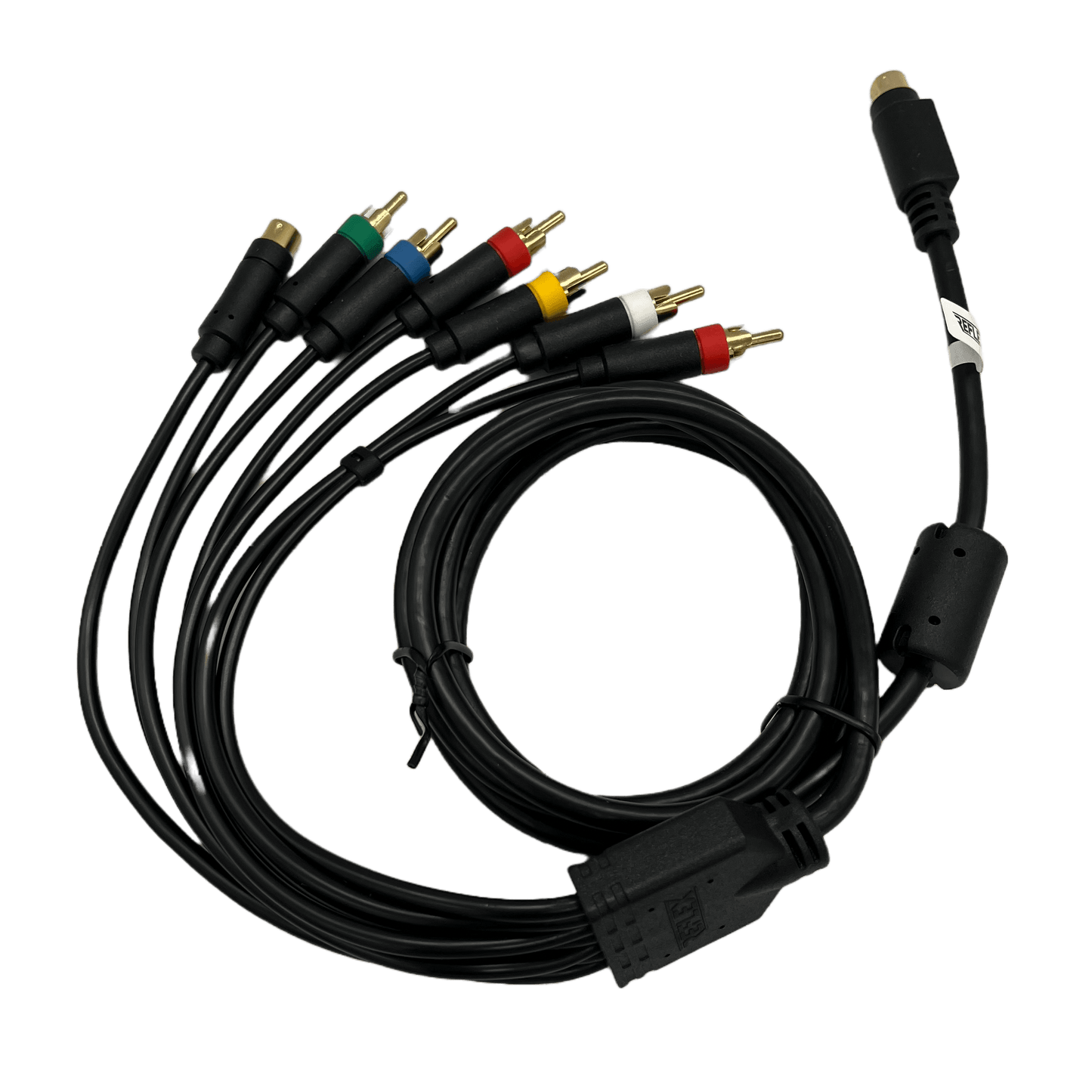
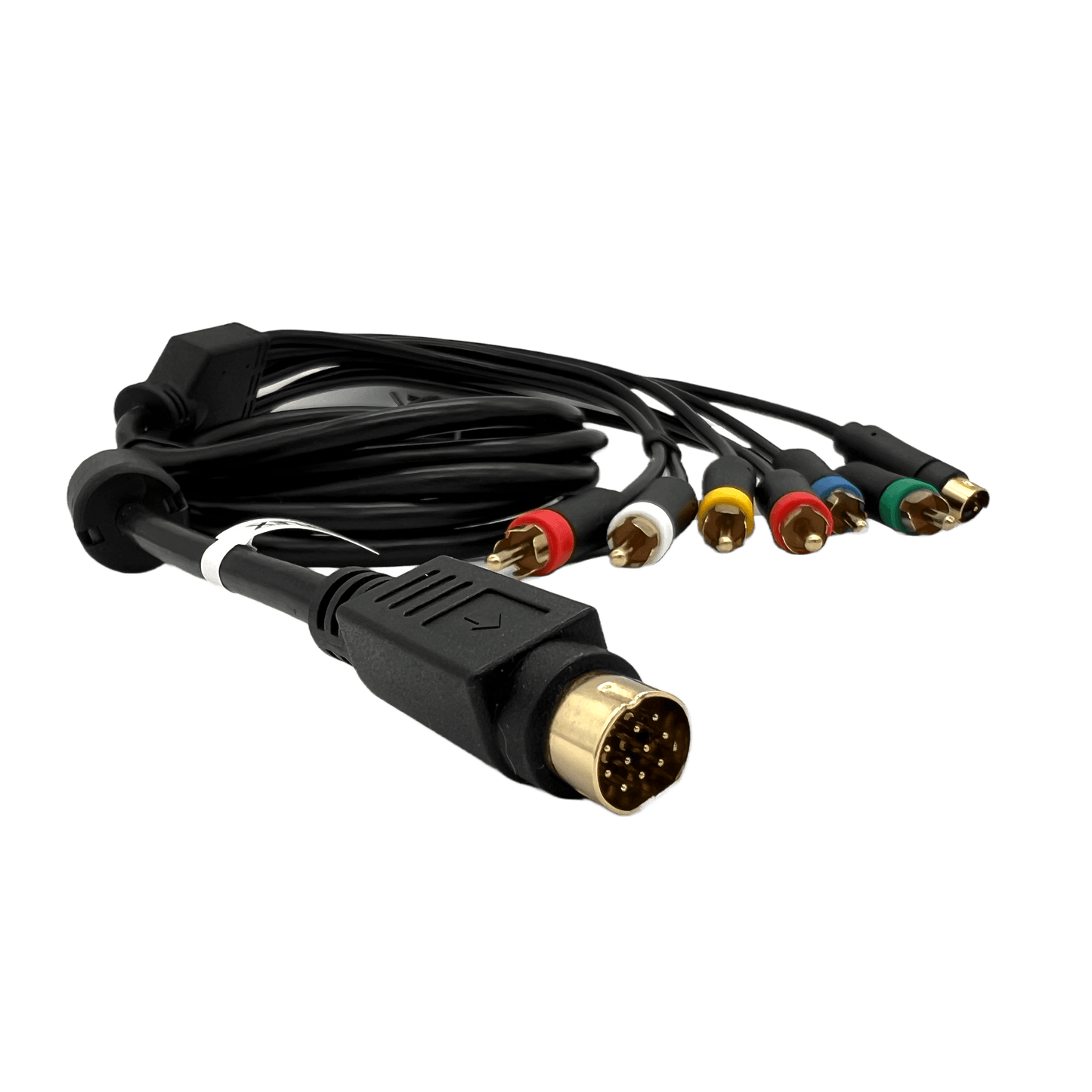


Saturn (Mini-DIN-10) Premium Universal Video Cable
- Premium way to connect your Sega Saturn or MiSTer (IO Analog Pro or IO Direct) to a CRT or video upscaler
- RGB: Red, Green, Blue, and Yellow (Sync on Composite) + Red and White RCA
- Component/YPbPr (MiSTer only): Red, Green and Blue + Red and White RCA
- S-Video: Mini-DIN-4 + Red and White RCA
- Composite Video: Yellow RCA + Red and White RCA
- All audio and video lines are double shielded and the outer cable is ferrited for minimal interference
- Red, Green, Blue, Luma, Chroma, and Composite Video
- Left, Right Audio
- 5 ft. Length
- Grab some RCA to BNC adapters if you plan to use this on a PVM/BVM
Looking for a Saturn SCART or MiSTer Mini-Din-10 VGA cable instead? I have you covered!
Note: It's best to only connect 1 video signal at a time to avoid overloading the Saturn. My new MiSTer IO boards are limited to RGB OR YPbPr OR S-Video and Composite (simultaneous).
Troubleshooting
No picture on MiSTer?
Set correct vga_mode in MiSTer.ini:
RGB: vga_mode=rgb (use the yellow cable for sync)
S-Video: vga_mode=svideo
Component: vga_mode=ypbpr (MiSTer only, not original Saturn)
Handling tip
Arrow and flat top face upwards towards the ceiling. Insert Mini-DIN-10 connector gently with even pressure. Forcing can break pins.
Saturn (Mini-DIN-10) Premium Universal Video Cable
- Premium way to connect your Sega Saturn or MiSTer (IO Analog Pro or IO Direct) to a CRT or video upscaler
- RGB: Red, Green, Blue, and Yellow (Sync on Composite) + Red and White RCA
- Component/YPbPr (MiSTer only): Red, Green and Blue + Red and White RCA
- S-Video: Mini-DIN-4 + Red and White RCA
- Composite Video: Yellow RCA + Red and White RCA
- All audio and video lines are double shielded and the outer cable is ferrited for minimal interference
- Red, Green, Blue, Luma, Chroma, and Composite Video
- Left, Right Audio
- 5 ft. Length
- Grab some RCA to BNC adapters if you plan to use this on a PVM/BVM
Looking for a Saturn SCART or MiSTer Mini-Din-10 VGA cable instead? I have you covered!
Note: It's best to only connect 1 video signal at a time to avoid overloading the Saturn. My new MiSTer IO boards are limited to RGB OR YPbPr OR S-Video and Composite (simultaneous).
Troubleshooting
No picture on MiSTer?
Set correct vga_mode in MiSTer.ini:
RGB: vga_mode=rgb (use the yellow cable for sync)
S-Video: vga_mode=svideo
Component: vga_mode=ypbpr (MiSTer only, not original Saturn)
Handling tip
Arrow and flat top face upwards towards the ceiling. Insert Mini-DIN-10 connector gently with even pressure. Forcing can break pins.


